With Prompt…
Eliminate the black box of model data, with the clarity to see exactly what’s happening in your parameters and the power to correct it instantly. Turn hidden data issues into actionable insights, so you can deliver models with absolute confidence.
- Make metadata inspectable
- Make transformations explicit
- Make changes repeatable
- And stay in the loop
Feature Highlights

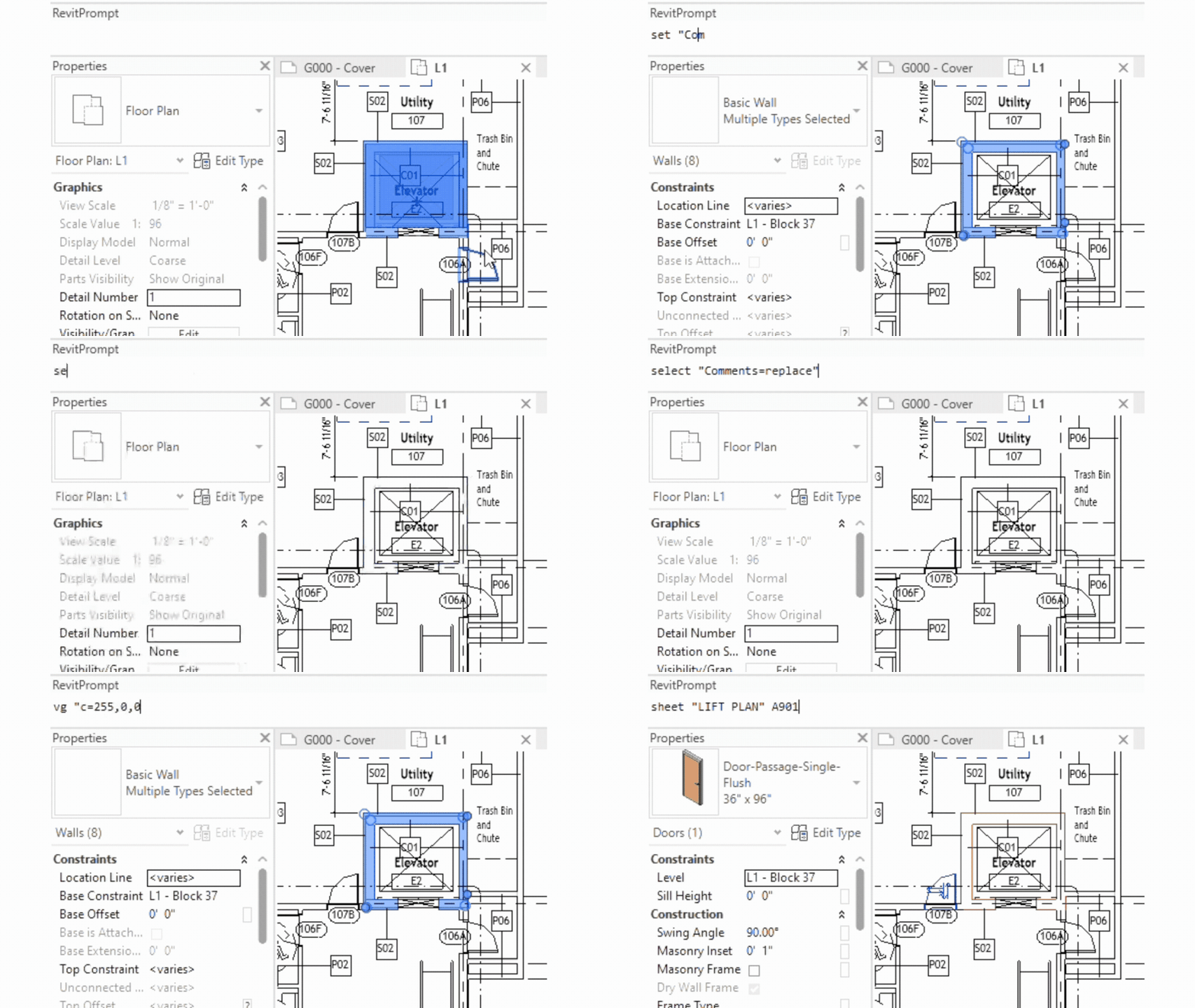
Save and Store Metadata States
Take a snapshot of model metadata and save externally – load and compare this later to compare data changes, or ensure compliance with data requirements
Compare, Normalize and Map parameters
No more inconsistency between spaces, or dashes, capitals or lowercase in parameter values. Ensure the same keywords and formats are used universally
Pre-flight data checks
Issue your model with confidence knowing the correct parameters have the correct data entered and that there are no duplicate types

How to Get Started with Prompt
Discover the steps that empower Revit users to streamline their workflow with PromptTool’s command-line interface.
1
Download
Start by downloading Prompt Tool from the App Store here.
2
Install
Run the installer and follow installation instructions.
3
Ready to go!
The Prompt dockable window should appear when you next launch Revit. Type “help” at any time for list of commands
Blog
Explore expert tips and detailed articles focused on maximizing your Revit workflow.
-

Boosting Productivity in Revit with RevitPrompt
This paragraph serves as an introduction to your blog post. Begin by…
-

RevitPrompt Features You Should Know About
This paragraph serves as an introduction to your blog post. Begin by…
-

Architectural Modeling Made Simple with RevitPrompt
This paragraph serves as an introduction to your blog post. Begin by…
PromptTool for Revit: Streamline Your Revit Metadata
Connect with our support team through provided addresses, phone lines, and emails for prompt help and questions.